AI-Generated Planning References

Cover-Up Tattoo Ideas

Compare 12 concept directions built around different old tattoo sizes, ink densities, and placements. Then bring your own photo into the existing Generator workflow.

Every image on this page is an AI-generated concept scenario, not a client result or a prediction of what can be achieved on your skin.

Decision Guide

Start with the old tattoo, not the new motif.

Size, darkness, color, and body position define the working constraints. The subject comes next, once there is a realistic structure for scale and dark-area placement.

These are planning signals, not an automatic assessment. A clear photo can guide a concept, but only an artist can evaluate the healed tattoo and skin in person.

Small and faded

Expand beyond the old edge with leaves, petals, feathers, or ornamental repeats.

Do not add detail everywhere. Keep enough open skin for the new focal point to read.

Dark or densely lined

Use larger silhouettes, selective black areas, overlapping subjects, and directional background flow.

Dense intersections may narrow the palette or make laser fading worth discussing first.

Saturated color

Build a stronger color hierarchy with bold outlines and pigments that can work with the existing hue.

Old warm and cool pigments can affect lighter passages in different ways.

Wide or awkward placement

Let the composition wrap with the muscle instead of forcing the old tattoo into a compact badge.

The new piece may need more width, height, or a second focal element to feel intentional.

12 Scenario Briefs

Match the design strategy to the ink already there.

Each image is a real gpt-image-2 output created for this collection. The records below describe the hypothetical old tattoo, the visual strategy, and the practical question to take into an artist consultation.

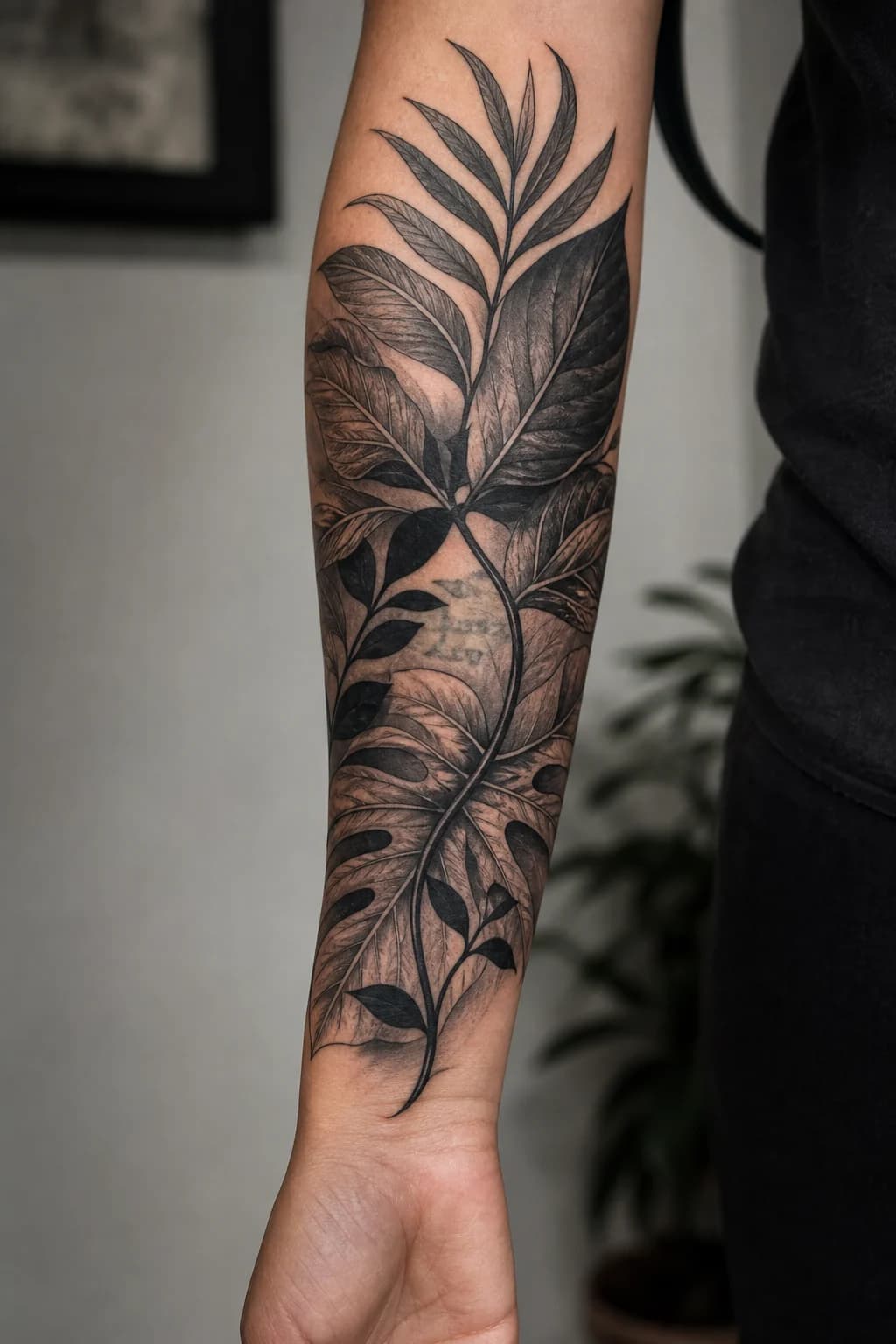
AI-generated blackwork botanical cover-up concept wrapping an adult forearm

AI-generated concept scenario

01

Blackwork

Faded script into a botanical forearm piece

Size
Small
Ink
Faded
Area
Forearm

Original problem

Small faded handwritten script with thin, broken lines.

Design strategy

Route the old horizontal strokes through a larger stem and the shadowed veins of overlapping leaves.

Theme directions

Layered leaves / Dark stems / Botanical shadows

Constraint to discuss

Fine leaves alone may not carry enough dark mass if parts of the lettering are still sharp.
Use This Direction
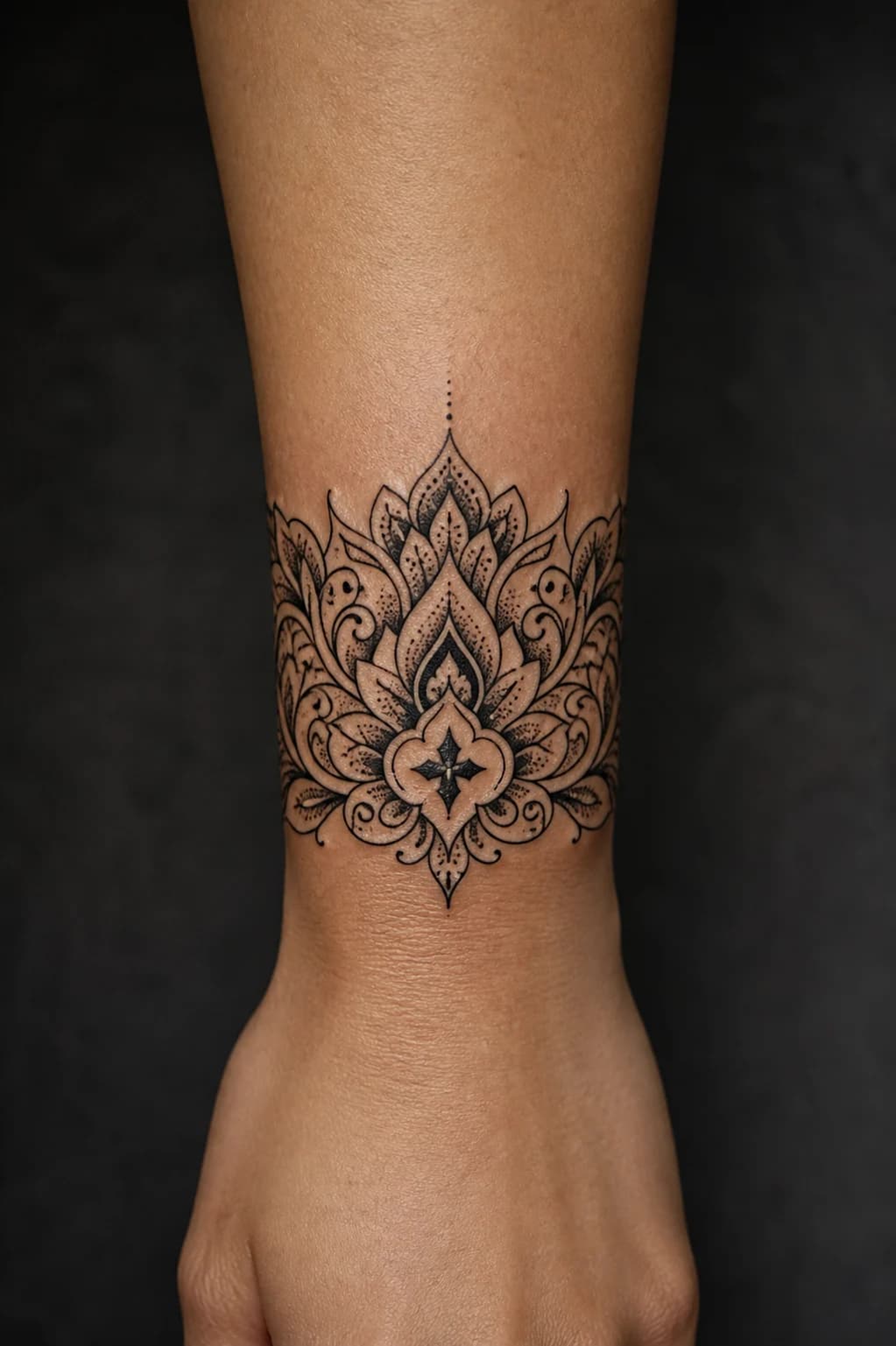
AI-generated high-contrast ornamental wrist cover-up concept

AI-generated concept scenario

02

Ornamental

Dark symbol into an ornamental wrist cuff

Size
Small
Ink
Dark
Area
Wrist

Original problem

Small dark symbol with a compact, solid center.

Design strategy

Turn the old focal point into the darkest anchor of a wider wraparound band with repeated structure.

Theme directions

Ornamental cuff / Petal repeats / Dark filigree

Constraint to discuss

A narrow wrist limits how much the new design can expand without wrapping farther around the arm.

Use This Direction
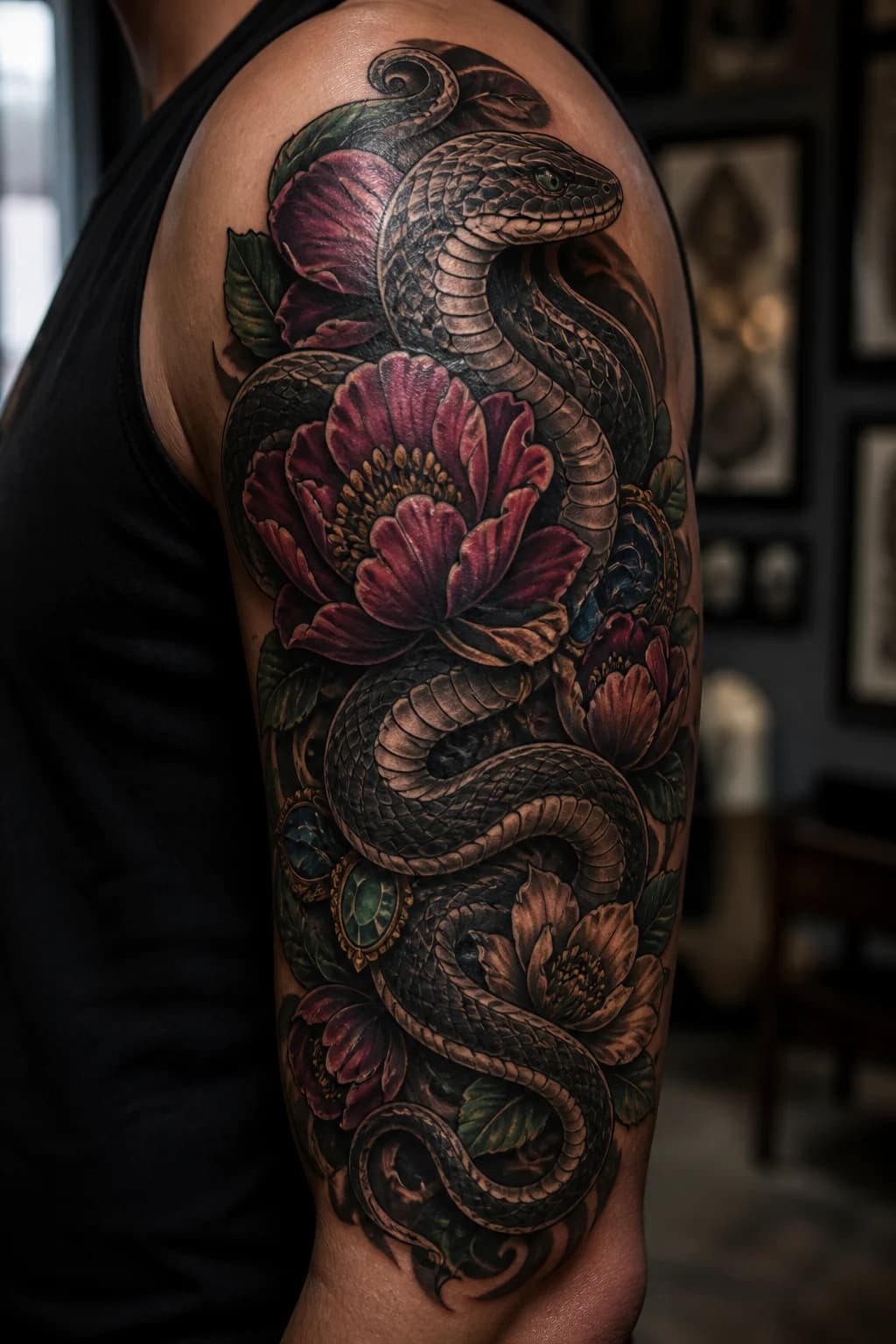
AI-generated neo-traditional snake and flower bicep cover-up concept

AI-generated concept scenario

03

Neo-Traditional

Tribal band into a snake and flower wrap

Size
Medium
Ink
Dark
Area
Bicep

Original problem

Medium dark tribal band with broad curved points.

Design strategy

Rebuild the circular rhythm with a snake body, overlapping petals, and deep background shadows.

Theme directions

Coiled snake / Broad petals / Shadow bands

Constraint to discuss

Dense band sections may require a much larger wrap and selective solid-black passages.

Use This Direction
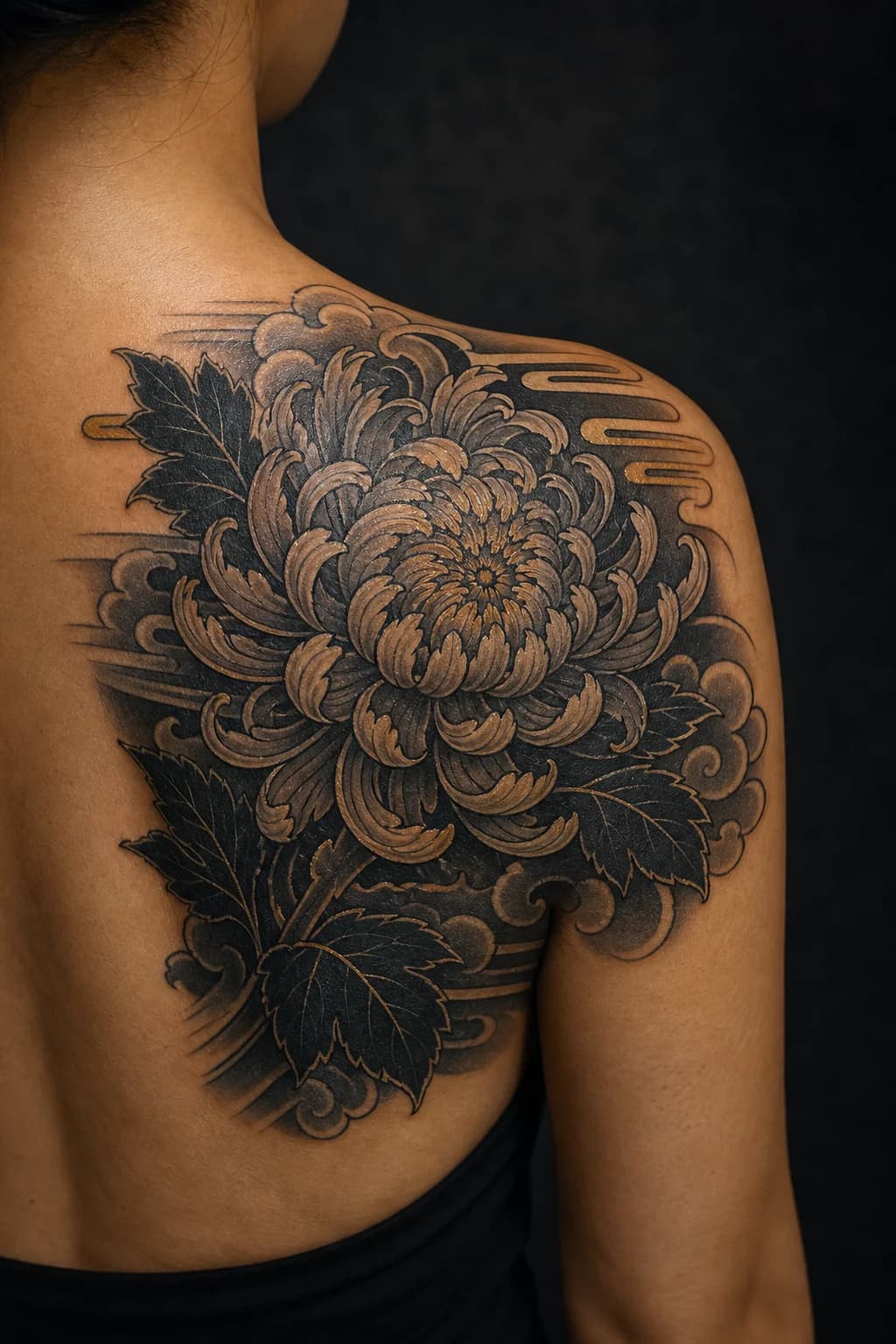
AI-generated Japanese chrysanthemum shoulder-blade cover-up concept

AI-generated concept scenario

04

Japanese

Faded rose into a Japanese chrysanthemum

Size
Medium
Ink
Faded
Area
Shoulder Blade

Original problem

Medium faded rose with a recognizable rounded outline.

Design strategy

Use a larger flower head to redirect the old circle, then carry remaining edges into clouds and leaves.

Theme directions

Chrysanthemum / Cloud forms / Dark leaves

Constraint to discuss

Old petal edges can remain visible if the new flower is not scaled beyond the original silhouette.

Use This Direction
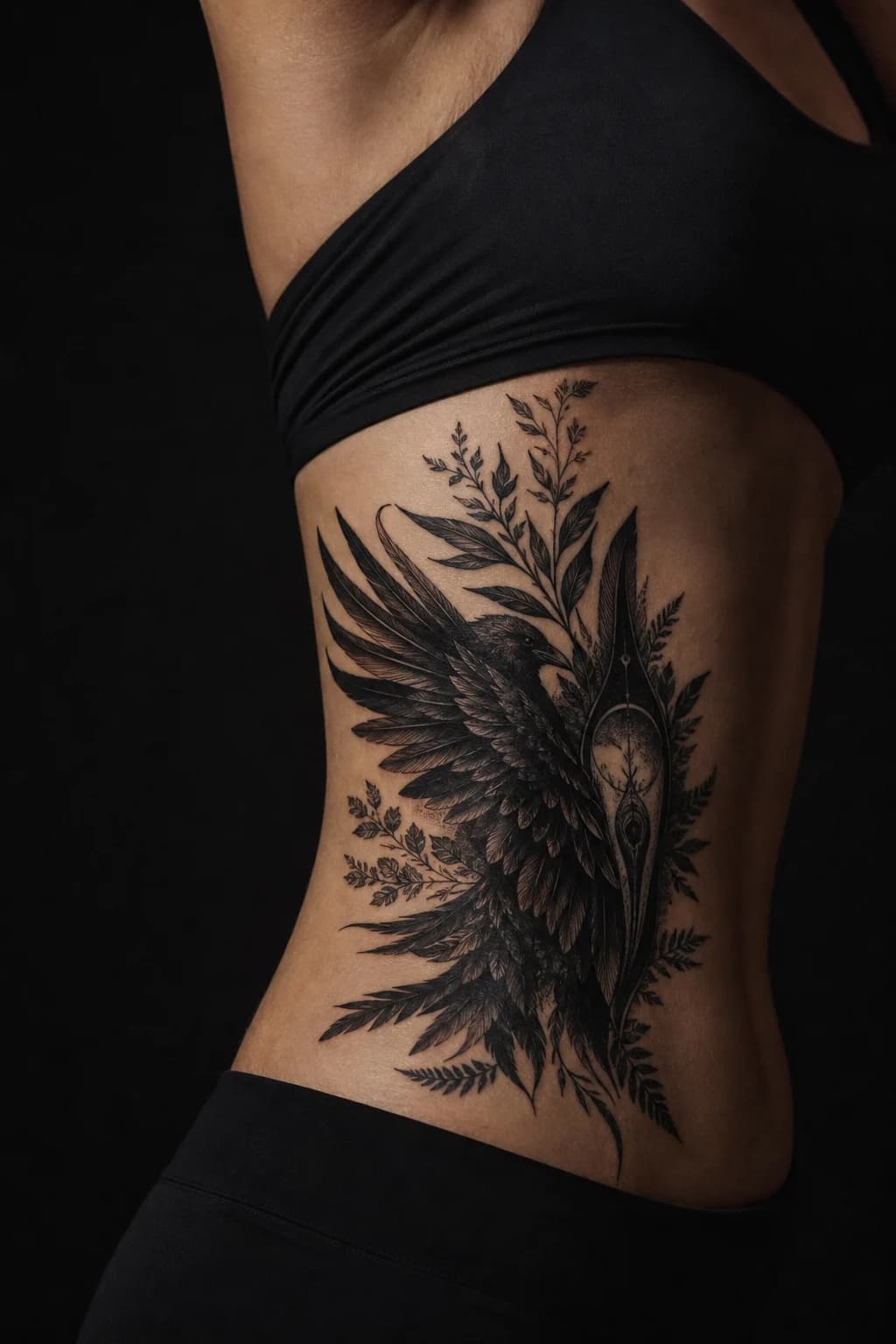
AI-generated illustrative raven and botanical rib cover-up concept

AI-generated concept scenario

05

Illustrative

Blurred lettering into raven feathers

Size
Medium
Ink
Dense
Area
Ribs / Side

Original problem

Medium blurred lettering spreading across a horizontal line.

Design strategy

Break the word-shaped rhythm with diagonal feathers and a larger vertical composition.

Theme directions

Raven feathers / Tall botanicals / Shadow layers

Constraint to discuss

Long, dark letter strokes can dictate feather direction and may require more height than expected.

Use This Direction
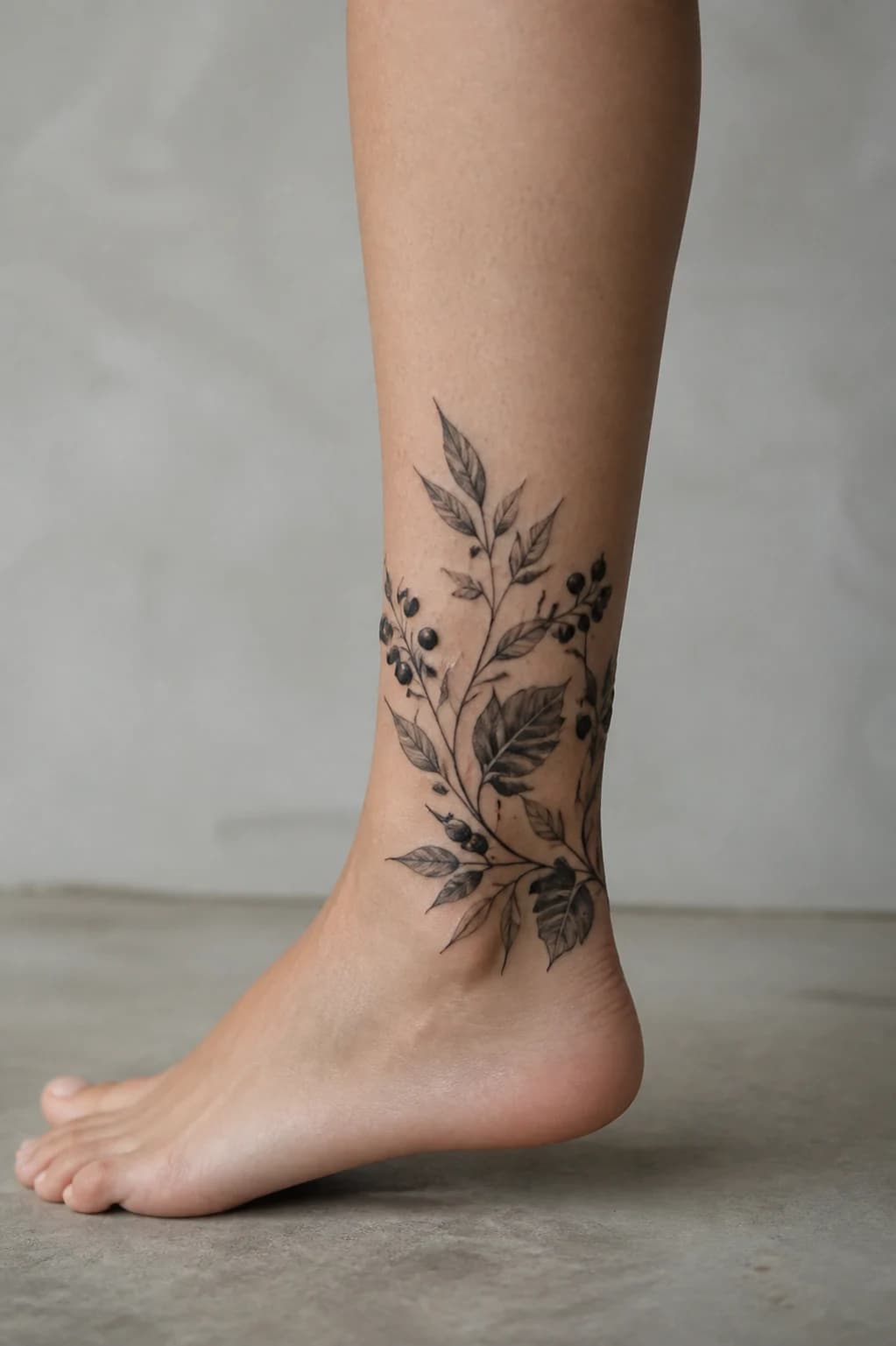
AI-generated low botanical ankle cover-up concept in blackwork

AI-generated concept scenario

06

Blackwork

Faded stars into a botanical ankle wrap

Size
Small
Ink
Faded
Area
Ankle

Original problem

Small faded group of stars and dots.

Design strategy

Expand the scattered marks into berries and leaf shadows within a low wraparound composition.

Theme directions

Leaf wrap / Dark berries / Fine stems

Constraint to discuss

Ankle movement and limited space favor bold spacing over very fine clustered detail.

Use This Direction
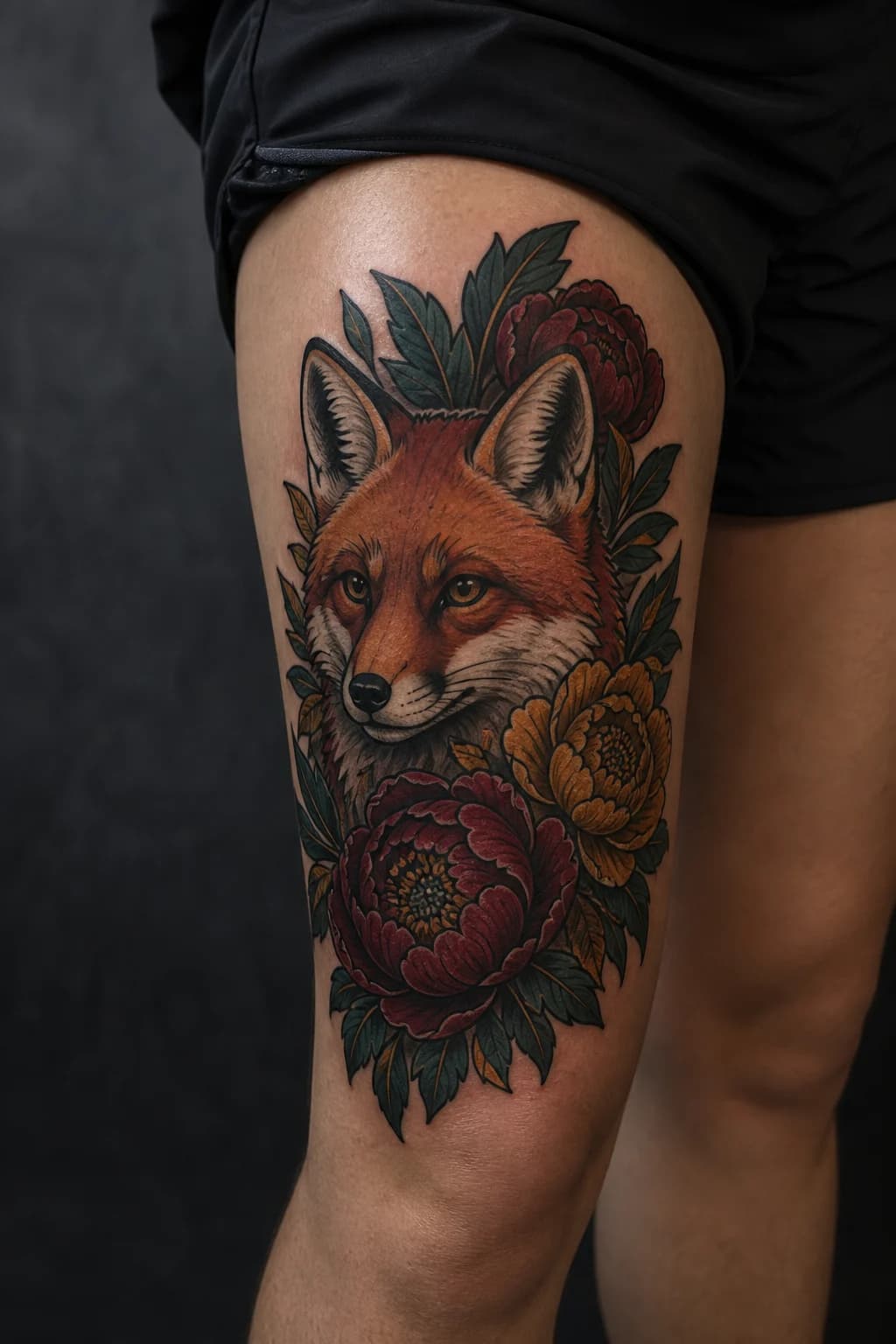
AI-generated neo-traditional fox and peony thigh cover-up concept

AI-generated concept scenario

07

Neo-Traditional

Faded watercolor into a fox and peony piece

Size
Medium
Ink
Faded color
Area
Thigh

Original problem

Medium faded watercolor patch with soft, diffuse color.

Design strategy

Establish a bold animal focal point and use flowers plus darker contours to reorganize the soft color field.

Theme directions

Fox focal point / Peonies / Saturated outlines

Constraint to discuss

Residual color can shift the final palette, so the artist may need to simplify or deepen selected hues.

Use This Direction
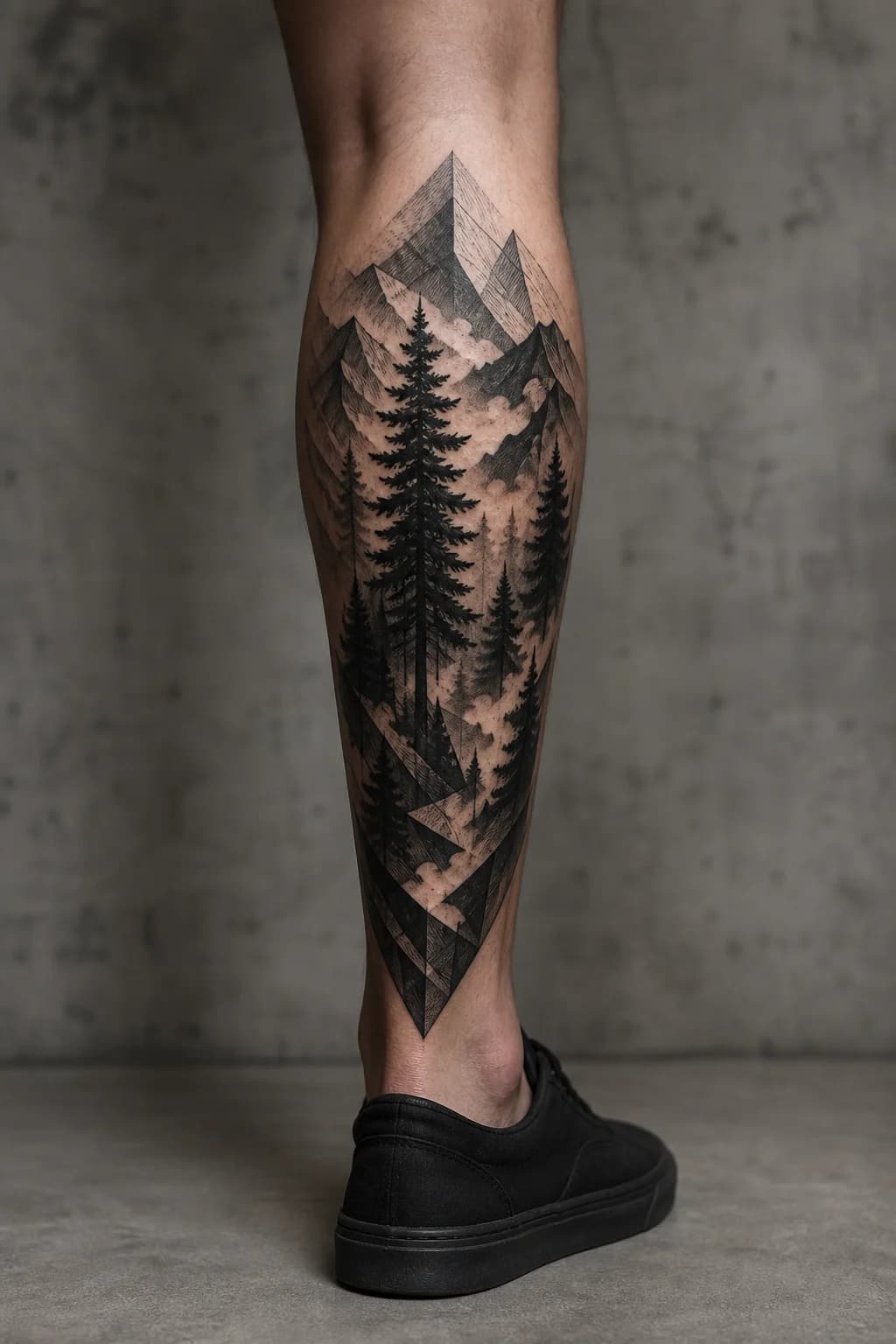
AI-generated blackwork forest and mountain calf cover-up concept

AI-generated concept scenario

08

Blackwork

Dense geometry into a blackwork forest

Size
Medium-large
Ink
Dense
Area
Calf

Original problem

Medium-large dense geometric lines in a vertical block.

Design strategy

Use tree trunks, mountain edges, and deep ground shapes to turn rigid line clusters into a vertical landscape.

Theme directions

Pine forest / Mountain planes / Dark atmosphere

Constraint to discuss

Very dense intersections may need solid dark passages or prior fading to preserve readable depth.

Use This Direction
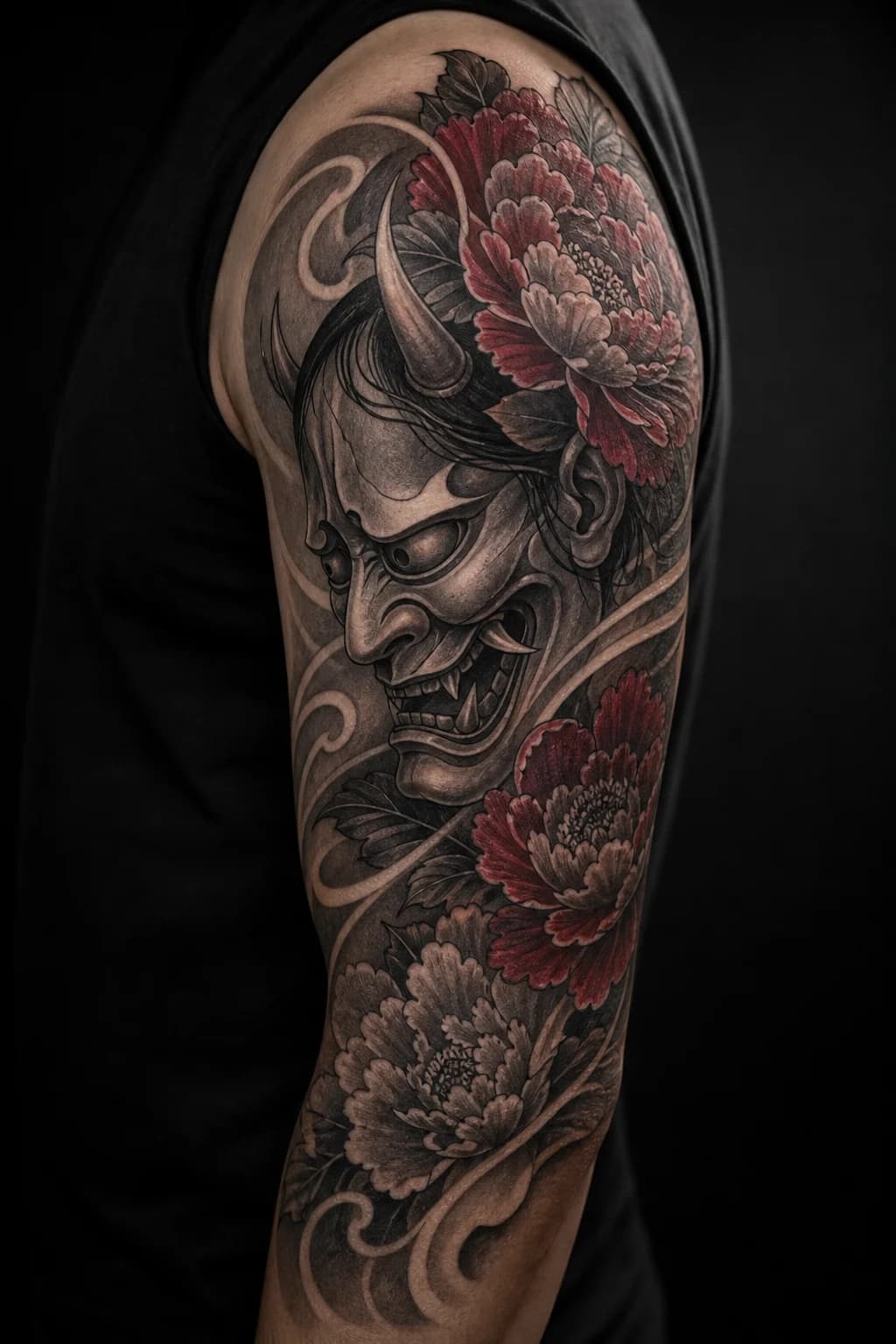
AI-generated Japanese mask and peony bicep cover-up concept

AI-generated concept scenario

09

Japanese

Aged portrait into a mask and peony wrap

Size
Medium
Ink
Dense
Area
Bicep

Original problem

Medium aged portrait with soft facial values and dark hair.

Design strategy

Replace the old face hierarchy with a bolder mask, then use petals and wind bars to organize the wrap.

Theme directions

Hannya-inspired mask / Peonies / Wind bars

Constraint to discuss

Existing facial highlights and dark hair can restrict where the new mask keeps open skin.

Use This Direction
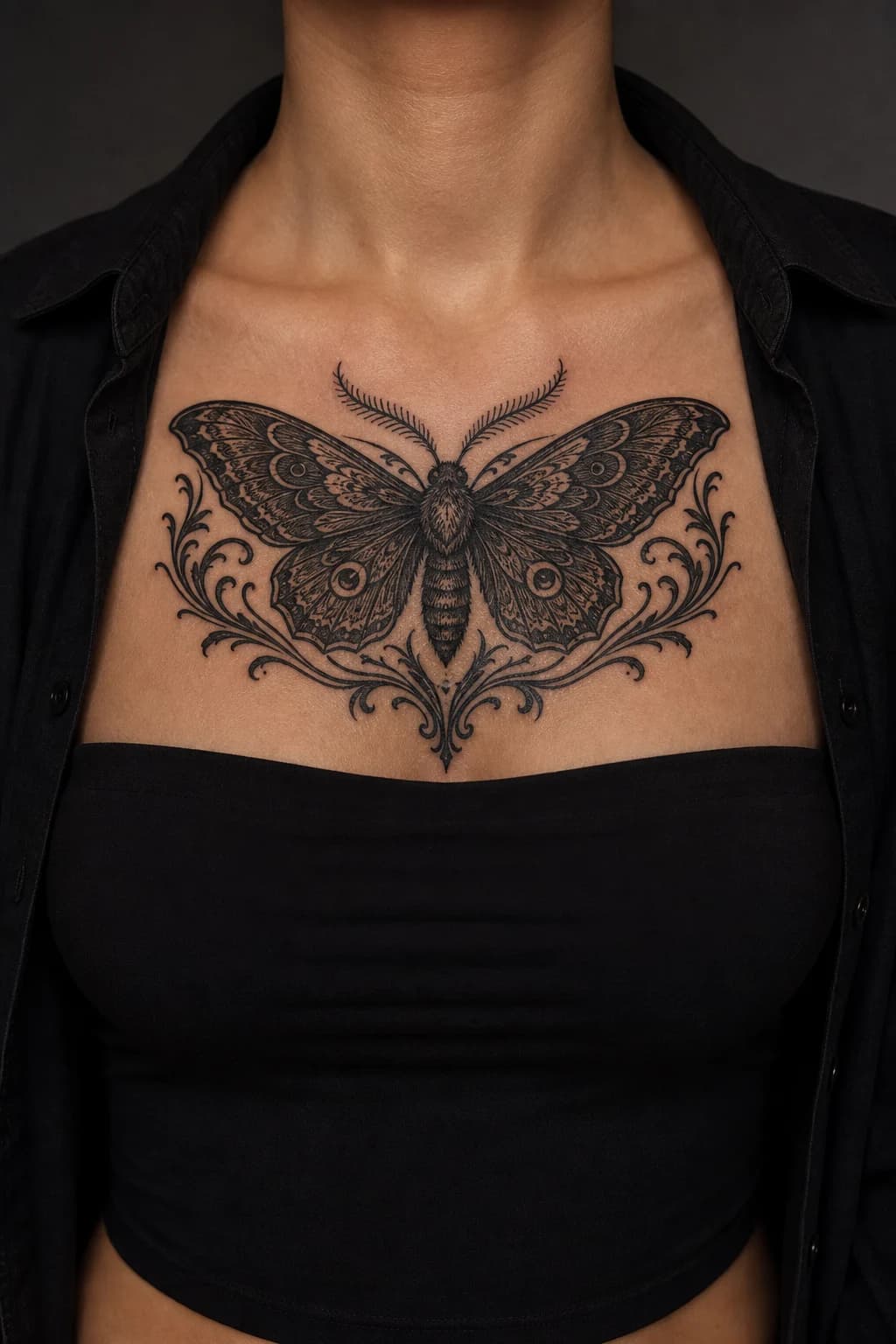
AI-generated symmetrical ornamental moth chest cover-up concept

AI-generated concept scenario

10

Ornamental

Chest lettering into an ornamental moth

Size
Small
Ink
Faded
Area
Chest

Original problem

Small faded lettering centered high on the chest.

Design strategy

Place the old text zone inside the darkest wing pattern and expand symmetrically across the chest.

Theme directions

Central moth / Ornamental wings / Shadow flourishes

Constraint to discuss

The available height below the collarbones determines whether the moth can grow enough to carry the old line.

Use This Direction
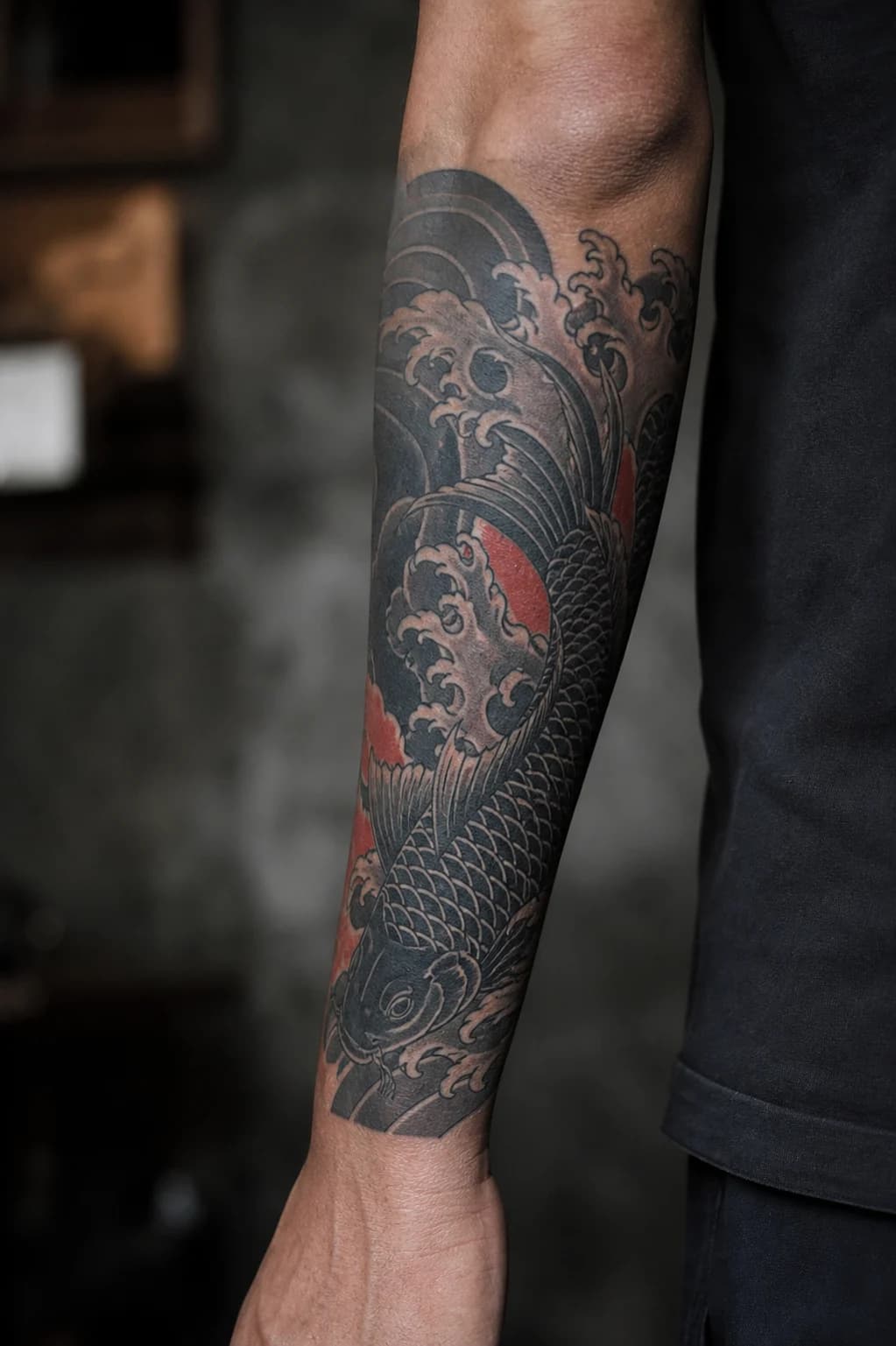
AI-generated Japanese koi and wave forearm cover-up concept

AI-generated concept scenario

11

Japanese

Traditional heart into koi and dark water

Size
Medium
Ink
Saturated
Area
Forearm

Original problem

Medium saturated traditional heart with a strong color block.

Design strategy

Use the koi body and deep water flow to redirect the old color mass along the forearm.

Theme directions

Koi / Dark currents / Overlapping waves

Constraint to discuss

Warm old pigments may influence lighter areas, and the new water flow may need to extend toward the wrist or elbow.

Use This Direction
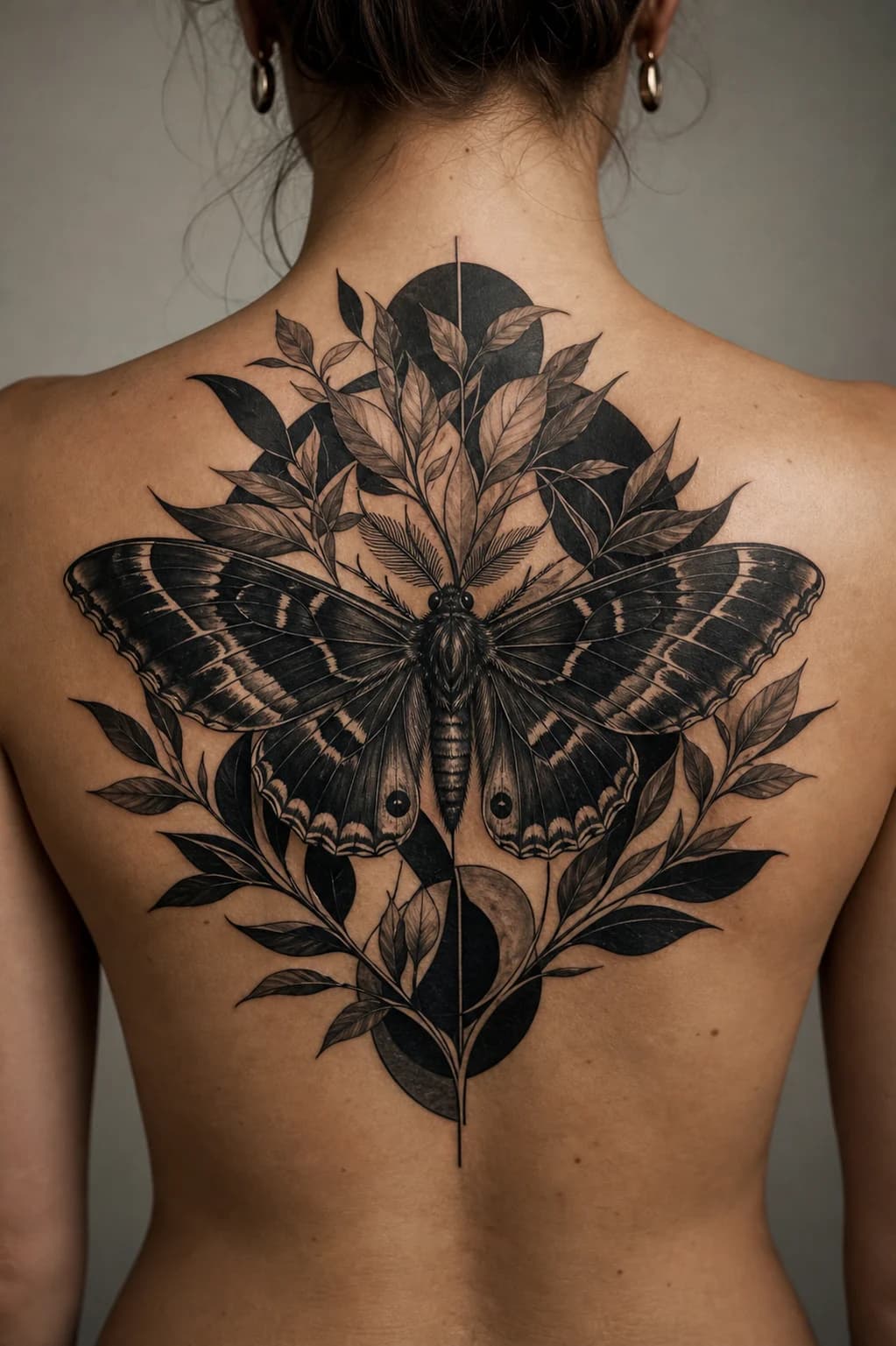
AI-generated large blackwork moth and leaves upper-back cover-up concept

AI-generated concept scenario

12

Blackwork

Scattered upper-back lines into a blackwork moth

Size
Medium-large
Ink
Dense
Area
Back (Upper)

Original problem

Medium-large scattered linework across the upper back.

Design strategy

Connect separated line zones with broad wings, botanical branches, and a single large center.

Theme directions

Broad moth / Layered leaves / Black framing shapes

Constraint to discuss

A wide old footprint can require a shoulder-to-shoulder composition rather than a compact center piece.

Use This Direction

Photo Workflow

Use your current tattoo as a constraint.

The Generator keeps cover-up planning inside the existing concept mode. It does not identify tattoo boundaries, score coverage, or replace an artist's redraw.

  1. Step 1

    Sign in before choosing a file

    The Generator does not show a local image picker until your session is authenticated.

  2. Step 2

    Choose a clear current-tattoo photo

    Use a straight-on image with even light, visible tattoo edges, and enough surrounding anatomy to understand placement.

  3. Step 3

    Generate a directional concept

    The protected upload, generation, polling, and credit flow remain the same as the standard concept workflow.

  4. Step 4

    Review it with a cover-up artist

    Ask about scale, dark-area placement, open skin, pigment behavior, scarring, and whether laser fading would expand the options.

Practical Limits

A concept can organize the conversation.

It cannot inspect the physical tattoo. Keep the generated result in the right role: a visual brief for an expert consultation.

Useful for

  • Comparing larger subjects and composition directions.
  • Exploring where dark areas and open skin might sit.
  • Preparing specific questions for an artist consultation.
  • Testing style, placement, color, density, and symmetry.

Not able to determine

  • How deep or raised the existing pigment is.
  • How scars, skin tone, and prior fading affect the plan.
  • Which pigments will heal cleanly over the old color.
  • The final scale, line weight, or session count.

FAQ

Cover-up planning questions

The same answers shown here are included in the page's FAQ structured data.

Will every old tattoo work for a cover-up?

No. Feasibility depends on the existing tattoo's size, darkness, color, scarring, placement, and any previous laser fading. Use these ideas to prepare for a consultation, then let an experienced tattoo artist inspect the area in person.

Does a cover-up usually need to be larger or darker?

Often, yes. Extra scale gives the artist room to redirect old edges, while darker passages can route through dense ink. The right balance still depends on the specific tattoo and how much open skin the new composition can keep.

Why does a tattoo artist need to review the concept?

A generated image cannot inspect healed texture, raised scars, pigment depth, skin movement, or how the piece will age. An artist can redraw the concept around those physical constraints and advise whether laser fading would create better options.

How do I use a photo of my current tattoo?

Open a concept, sign in, and then choose a clear straight-on JPG, PNG, or WebP photo. The protected Generator upload uses that image as a spatial and ink-density reference for the concept; the photo picker is not shown before sign-in.

Bring Your Own Reference

Turn the closest scenario into your own artist brief.

Sign in first, choose a current-tattoo photo, and keep the result in the concept-planning stage until an artist reviews it.

Open Cover-Up Concept